Free Game Launcher for Windows: Start With One Library
Download Kolektor free for Windows and bring installed games from Steam, Epic, GOG, Xbox, Battle.net, Amazon, Ubisoft, and EA into one launcher.
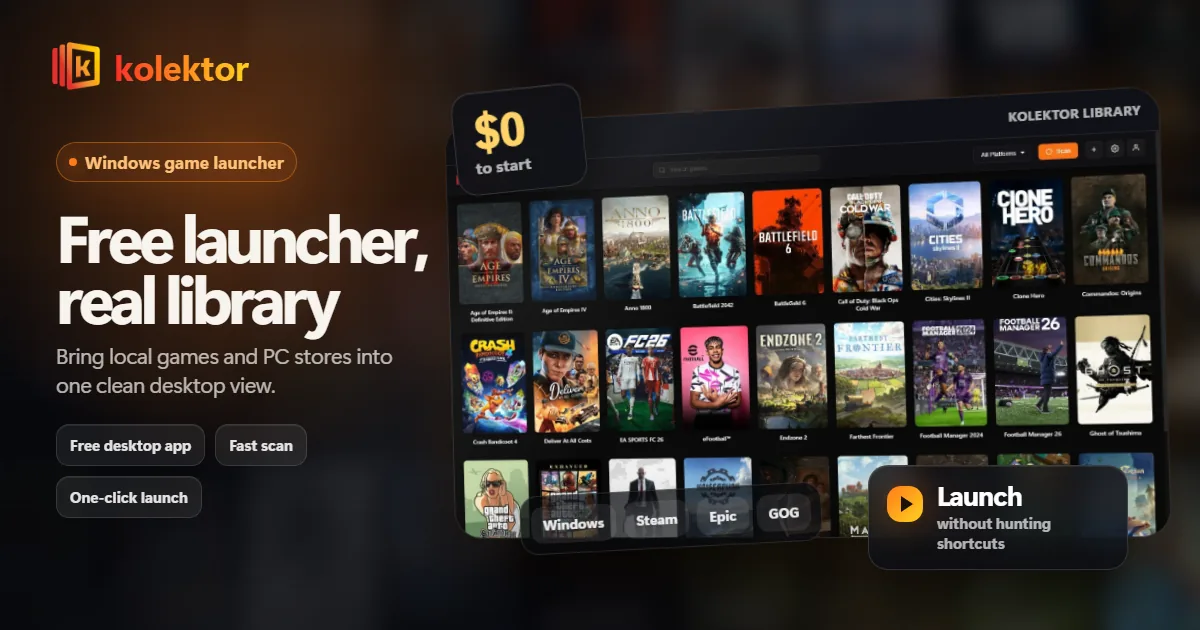
Kolektor is a free game launcher for Windows players who want one place to browse and launch installed PC games. It brings games from Steam, Epic Games Store, GOG, Ubisoft Connect, EA App, Xbox Game Pass, Battle.net, and Amazon Games into one clean library.
What You Get With Kolektor Free
The free launcher is built around the part that should not be complicated: finding installed games and making them easy to launch.
| Feature | What it means in Kolektor |
|---|---|
| Windows launcher | Available now for Windows 10 and Windows 11 |
| Automatic detection | Kolektor scans installed games from major PC platforms |
| Built-in platform support | Steam, Epic Games Store, GOG, Ubisoft Connect, EA App, Xbox Game Pass, Battle.net, and Amazon Games |
| One-click launch | Open the game from Kolektor instead of hunting through store libraries |
| Cover art and metadata | A visual library with covers, game details, screenshots, and trailers |
| Manual add | Add games that sit outside normal store detection |
Why One Launcher Helps
Most PC libraries grow store by store. Steam starts as the default, Epic adds claims and exclusives, GOG adds DRM-free games, and subscriptions or publisher launchers add more places to check. The result is not just more launchers. It is more memory work before you play.
Kolektor gives that scattered setup one front door. Keep the original stores for ownership, installs, updates, and store-specific features. Use Kolektor when you want to browse your installed library from one screen.
Install Kolektor, let it scan, and see whether your installed games appear in one library.
Download KolektorWhat Happens After You Install
The first run should feel simple:
- Download the Windows installer from gamekolektor.com.
- Open Kolektor and let it scan your installed platforms.
- Review the games it finds across your PC stores.
- Launch from the Kolektor grid when you want to play.
- Manually add anything that sits outside normal store detection.
That is the core promise: one clean library first, more collection features over time.
Built For Installed Games First
Kolektor Free focuses on the games that are already installed on your PC. That makes the launcher useful immediately because it helps with the games you can actually play right now.
We are also building Free Full Library Sync so Kolektor can catalog owned games that are not installed. Premium remains the separate layer for subscription catalogs, bulk manual import, and advanced collection tools such as physical collections.
Who Should Start Here
Start with Kolektor if you use Windows, have games spread across more than one store, and want a cleaner library without turning your launcher into a setup project.
It is especially useful if you use Steam plus Epic, GOG, Xbox Game Pass, Ubisoft, EA, Battle.net, or Amazon Games and want the same launch surface for all of them.
FAQ
Is Kolektor free?
Yes. Kolektor Core is Free, including the launcher and permanent Full Library Sync. Premium is where we are building subscription catalogs, bulk manual import, and advanced collection features such as physical collection tools.
Is Kolektor only for Windows?
The Windows download is available now. macOS and Linux are planned for later.
Does Kolektor replace Steam?
No. Kolektor sits above your existing launchers. You still own, install, and update games through the original stores; Kolektor gives you one place to browse and launch installed games.
Does Kolektor need plugins?
No. Kolektor has built-in support for major PC platforms, so you do not need separate Steam, Epic, GOG, Ubisoft, EA, Xbox, Battle.net, or Amazon plugins to get started.
Related Guides
Try Kolektor for your PC library
Kolektor Core is free, including automatic detection, one-click launching, cover art, a unified view across major PC game platforms, and Full Library Sync.
Download Kolektor Free