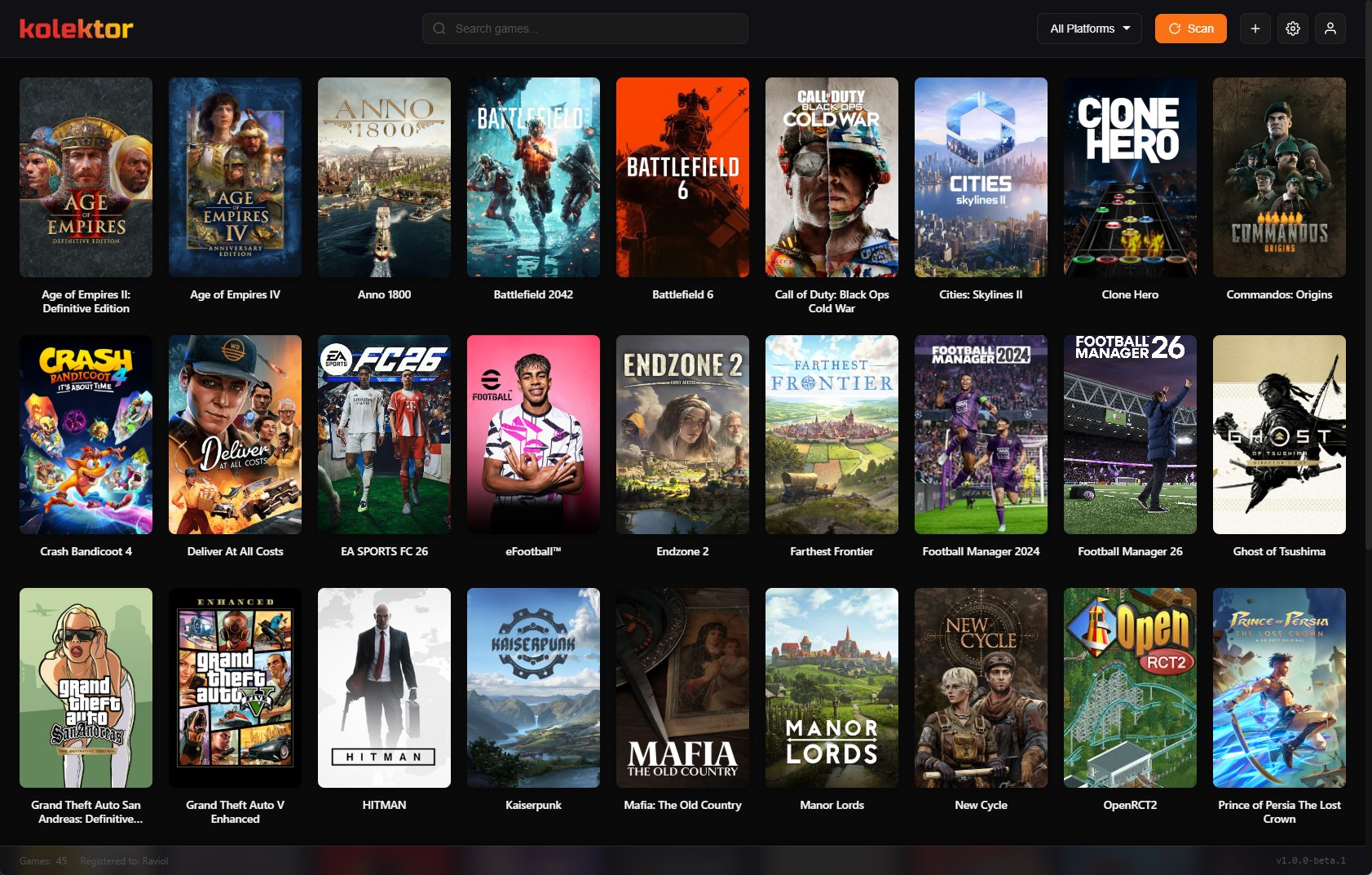
Imagine opening one app and seeing every game you own — Steam, Epic, GOG, Game Pass, and more — in one beautiful grid. That's a unified game library.
The Unified Experience
One View, All Games
No more opening Steam to check if you own something there. No more switching between apps. Every installed game appears in a single, searchable library.
Visual Consistency
Every game gets the same treatment:
- High-quality cover art
- Same grid layout
- Consistent interaction (click to play)
Instant Search
Type a game name. Find it immediately. Doesn’t matter if it’s from Steam or Amazon — if it’s installed, it appears.
Your Games, One Beautiful Grid
When you open Kolektor, all your installed games appear in a clean grid layout. Each game shows its cover art and a small platform badge indicating where it’s from — Steam, Epic, GOG, Xbox, and more.
The experience is seamless. You don’t think about platforms. You just see your games.
Benefits
1. Decision Simplicity
“What should I play?” becomes easy when you can see everything at once.
2. Rediscovery
Remember that Steam sale purchase from 2 years ago? That Epic freebie you forgot about? They’re all visible now.
3. Time Savings
No more launcher roulette. Open Kolektor → Click game → Play.
4. Mental Clarity
One app for gaming. Simple.
The Design Philosophy
Kolektor uses a modern glassmorphism interface:
- Dark theme that’s easy on the eyes
- Smooth animations
- High-quality cover art automatically fetched
- Clean typography
Your game collection deserves a beautiful home.
Experience It
Words can describe it, but the feeling of seeing your entire library unified is something you need to experience.